Welcome to Fantabulous Cricut Challenge Blog! Cricut enthusiasts come share your projects with us. Twice monthly we offer simple challenges for your chance to win! No matter which size Cricut machine you have, come join the fun.

Saturday, January 8, 2011

Scrappin' Saturday :O)

Howdy Friends!!! Hope everyone is off to a great first week of the New Year! It is certainly nice to be back on schedule around here! So, I was thrilled when I saw the comments on my first Scrappin' Saturday post for the sketch - I thought I'd try my hand at yet another one! I am inspired by so many things and my brain sometimes gets on overload. When that happens, I find a sketch to look at and work from there.
A couple of you asked for some tips as beginning scrapbookers on using sketches. My biggest piece of advice is this: IT IS OKAY TO COPY THE LAYOUT OF THE SKETCH DIRECTLY!!! I find that I typically follow a sketch pretty much exactly the way the designer made it. I mean, they've done the hard part right? Why re-invent the page when it is staring right at you?? So, I say go ahead and use what is in front of you and make it your own with your paper, embellishment, title, and journalling choices.
My second piece of advice is: DO NOT - under ANY circumstances!! - feel bad about what you created from a sketch if you happen to see other people's work! I know, I know - you are saying right now, "But Jennifer - I can't help myself! I see what others are doing and I HAVE to start over!!" STOP - Put down the adhesive! It is one thing to want to tweek your page because you feel something is missing or not right, and it is a whole 'nother ballgame when you compare yourself! Breathe through it - I promise you'll be okay!
My last piece of advice is: Challenge yourself to try something new next time! If you are inspired by what you see out there go ahead and try it! Ask the person for any tips on what they found that worked or didn't work. I find trying just one new thing every month really brings out creativity I didn't realize that was rolling around up there!
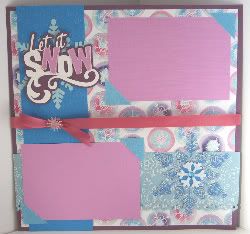
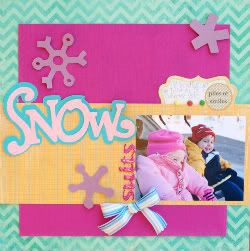
Okie dokie - enough rambling! Here is the sketch I created in honor of this week's Challenge Me Monday - using snowflakes on a project:
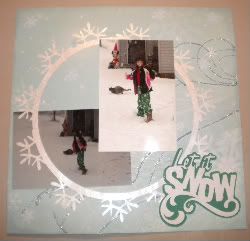
Here is my example:

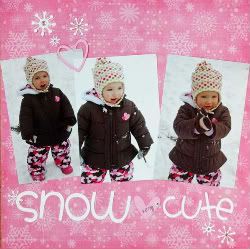
We don't get much snow here in our part of Texas - so this was a pretty big event for us in 2009! Cartridge used for title is Lyrical Letters.

So, if you are inspired to use the sketch this week - please leave a comment and link to your blog and I'll come check it out! I'd love to see what you did!!!

Happy Scrappin'!!!
Jennifer

Friday, January 7, 2011

Fantabulous Cricut Needs You! for "Daily Inspiration"

Fantabulous Cricut Challenge Blog is looking to you for a special place at FCCB -posting for "Daily Inspiration"

Hi everyone,
I'm in search of a few wonderful people who would be interested in posting on this blog.

FCCB has the following days of for "Inspiration" needed

*Sunday Spotlight: Spotlighting our DI (daily inspiration) and DT (design teams) and various shops when they have given product to the DT to try out. Like like in this post... -HERE

*Quick Tip Tuesdays: Great ideas using your Cricut machine or other crafting items.

*Thursday Tutorials: Thursday's are focused on finding great tutorials/videos from others blogs and sharing them with our viewers

*Fantabulous Friday: "Feature" specific cricut cartridges and images that can be cut using the cricut. As in this post -HERE
FCCB supports any program used like Design Studio, Sure Cuts a Lot, Make the Cut etc. as long as the actual cut is being made by the cricut machine. I would like to see these two idea used for Fantabulous Friday.

*Scrappin' Saturday: Sharing many ideas on using your cricut and scrapbook layouts, mini albums etc. It's great to spotlight specific bloggers and the pages they create. Just look at the previous Scrappin' Saturday's and you can see what has been done in the past. I'm even open to featuring Design Studio or Make the Cut ideas for this day, also featuring the Cricut Imagine. If you are interested in the position please let me know.

Check each daily inspiration posting to get a better idea of what each daily inspiration brings.

At this time I am unable to offer compensation to you, however, being on the "Daily Inspiration" team will gain exposure to your blog and is for the pure love of Cricut crafting and the fun of sharing with others. After your term you will have the opportunity to be on the FCCB Design Team for a term if you choose.
Posting on FCCB will be an exclusive post and is not to be duplicated or posted on your blog in any way.

These positions will be on a continual rotation so I will need several people for each position. If you are interested in any of the above positions, please email me the following:

*Name:
*Blog address:
*Positon(s) interested in:
*Tell me why this position interests you:

If you have any questions please feel free to email me
Robin :)
fantabulous cricut @ yahoo .com (remove spaces)


post signature

Fantabulous Friday #41

Welcome to our first Fantabulous Friday of 2011! I hope you have been keeping warm. Most of the United States has been unseasonably cold!

This week our challenge here at FCCB is Snowy Delights!
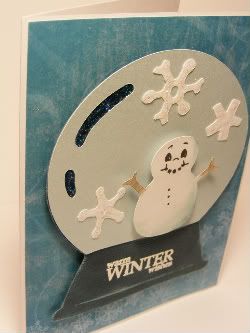
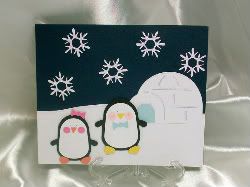
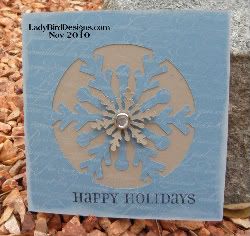
Anything with snow or a snowflake type project.

So I found a wonderful Snow Day Frame from SVGCUTS.Com that you could use for a project.
fsvgfotw_2010_12_16
For the Direct download link: Click HERE

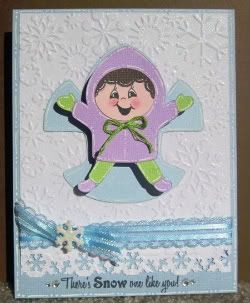
Then I decided to make this cute little snow girl topper.
snow girl topper-150j
If you would like the FREE svg for her click this button. This will be available for free through Sunday evening, so don’t delay get it while you can :-)
Add to Cart

Now there is no excuses! You can join us in the challenge!
CLICK HERE to join the challenge

Just a note: For those of you that are unfamilar with SVG files. You will need your Cricut, a computer and either the Sure Cuts Alot Software OR The Make The Cut Software to use these.

These files do not work with your Gypsy or Design Studio.

You can check out the Sure Cuts Alot software HERE

You can check out the Make The Cut software HERE

Thank you so much!
Melin

Thursday, January 6, 2011

Thursday's Tutorials: Snowflake Placemats!

Welcome to Thursday's Tutorials at FCCB!
Today, I'd like to share a tutorial by one of our FANTABULOUS sponsors, Custom Crops.  Since we're talking snow and snowflakes this week, I'm sharing this snowflake placemat tutorial, using inexpensice burlap, Cricut stencil material and the Winter Woodland cartridge.  This tutorial is divided into two videos:

Part 1:

And here is part 2:

Aren't those A-D-O-R-A-B-L-E?!?!?
Be sure to click on Custom Crops' logo in our right-hand side bar to visit their site for more great information, ideas and Cricut products!

Happy Crafting!  :)
post signature

Wednesday, January 5, 2011

Wednesday Winners -What did you get for Christmas?

It was so fun reading what everyone got for Christmas and also your crafty New Year's resolutions, thank you all who shared with us.

Our winner for the $10 gift certificate to Eyelet Outlet

#57 Stephanie

Stephanie said...

I have been so blessed this year!!! I received about $100 in giftcards to my favorite craft stores from my clients, a new printer with a Reese Cup candy bar taped with electrical tape to the top from my hubby :), a new camera from his as well, some gift cards to restaurants, an ice cream maker, a necklace and earring set from my son (which he used part of his giftcard from Christmas to buy :)), a snowman and Christmas card holder, some scrapbook paper, a candle and some yummy cookies and treats! One of my New Year's resolutions is to do something either a layout or card or some craft each week. I really enjoy crafting - mostly doing anything with my Cricut and paper. I need to set time aside each week to do that. I usually go in spurts. I'll work on stuff a lot and then I won't do anything for a period and back and forth. I need to just set some time aside each week to get some things done and allow the time for me to relax!! I hope everyone has a Very Happy Healthy New Year!!
Hugs,
Stephanie

Congratulations Stephanie.

please contact Robin at...
fantabulous cricut @ yahoo .com (remove spaces)

Thank you again everyone for your wonderful comments!

post signature

Tuesday, January 4, 2011

Quick Tip Tuesday: Keypad Overlay

Welcome to the first Quick Tip Tuesday of 2011!  I hope you all had a wonderful holiday!

Today's tip is for those of you who might be new to the world of cutting with the Cricut: With your machine, you should have received at least one cartridge.  Each cartridge comes with its own unique keypad overlay.  However, there are some standard keys which are ALWAYS in the same place, regardless of which cartridge you are using.  These keys are the four grey buttons on the bottom left of the overlay (Paper Saver, Real Dial Size, Shift, and Shift Lock) as well as all ten grey buttons on the right side of the overlay (Space, Back Space, Clear Display, Reset All, Repeat Last, Sound On/Off, Load Last, Set Paper Size, Load Paper, and Unload Paper).

If you are using Design Studio or a Gypsy, you might not choose to use the keypad overlay BUT you will always need to know exactly where the load and unload keys are.More information on where the important buttons on your keypad overlay are found within each cartridge handbook.  The page looks like this:
Happy Crafting!
post signature

Monday, January 3, 2011

Challenge Me Monday #41


"Hello 2011"
Fantabulous Cricut is back after a wonderful holiday break and I hope each of you had a lovely time sharing with friends and family.
In 2011 Fantabulous Cricut will hit our one year anniversary in March. And we will continue to have daily inspiration for you (we are still in the process of getting Sunday going as well), and we will continue to have fantabulous challenges each week, with gifts from our fantabulous sponsors.
"Challenge Me Monday" begins on Monday and ends the following Sunday at midnight, giving you one week to create a project and link to the weekly challenge.
-----
I would like to thank you for helping this blog become a success and continue to grow by joining our challenges and inspiring us with your creative projects, and also by taking the time to sharing comments and ideas with.
Thank you! Thank you! Thank you!

Now for
Challenge #41 Snowy Delights:
Create a project and incorporate snow or snowflakes.

Link your "Snowy Delights" project for your chance to win
$25 Gift Card from Walmart
As always there needs to be an image cut using your Cricut somewhere on your project to be eligible for the prize.

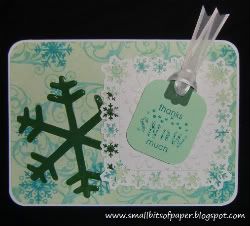
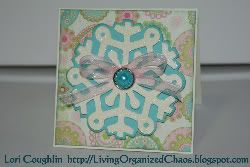
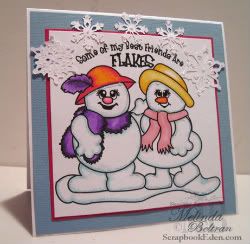
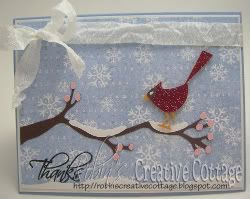
Design Team "Snowy" Inspiration

Winter Frolic, When it's Cold Outside cartridges
Doodlecharms
Create a Critter, Gypsy Wanderings, Simply Charmed cartridges
Accent Essentials, Simply Sweet cartridges
Cuttin' Up, Cake Basics cartridges
George and Basic Shapes, Gypsy Wanderings, Winter Frolic cartridges
Designer's Calendar cartridge
Very Merry Tags cartridge
Winter Lace cartridge
Winter Woodland cartridge
Winter Frolic cartridge
Winter Woodland cartridge
Doodlecharms, Gypsy Wanderings cartridges
~This Weeks Sponsor~
$25 Gift Card from Walmart
REMEMBER to click on our sponsors blinkies on the right hand sidebar and view their great products.... we appreciate their sponsorship of FCCB!!!

Participate in this weeks challenge for your chance to win!

PLEASE NOTE:Only new projects can be added to the challenge to be eligible for the prize (no older than a week prior to current challenge). Also, your project may be added to a FCCB challenge only once, with a new project for a new challenge.
If you have any questions please contact Robin at: fantabulouscricut @ yahoo .com (remove spaces)


post signature


Monday, December 27, 2010

What did ya get for Christmas??

I hope you all had a fantabulous Christmas with friends and family!!!


Tell us what you got for Christmas and/or your crafty New Year's resolution?

we'll choose one winner for a $10 gift certificate to Eyelet Outlet

post signature

Wednesday, December 22, 2010

Wednesday's Winners: Deck The Halls Crawl!

Happy Wednesday!
I bet you all would like to know who won the FANTABULOUS prizes for our Deck The Halls Crawl last week, right?  Well, let me tell you that I'm glad the winners were chosen at random because I wouldn't have wanted to try to narrow it down to just four!

Thank you to everyone who played along...we really enjoyed your projects and appreciate you sharing them with us!

And now for the
WINNERS!!!
Chose by Random.org...

The Elmo's Party Cricut Cartridge, donated by CricutMachine.com, goes to....
#13 Amy


The $50 Gift Certificate, donated by OhMyCrafts, goes to...
#7 Karla Urea

The Doodlecharms Cricut Cartridge, donated by Custom Crops, goes to...
#16 Amanda B

The Frosty Gingerbread Glitter & Glue Set, donated by Scrapbooks.com, goes to...
#18 DtsArt

Fabulous projects, ladies!  Again, thanks so much for playing along!

***You have two weeks to claim your prizes.  Please contact Robin HERE to claim your prizes!

Hope you all have a wonderful holiday and we'll see you back here January 3rd for our next
Challenge Me Monday!
 post signature

Tuesday, December 21, 2010

Quick Tip Tuesday: Product Registration


Welcome to Quick Tip Tuesday!
We wish you a Merry Christmas!
With Christmas just around the corner, I imagine that a number of us will be finding new Provocraft products under the tree – from machines to cartridges to other related tools.  Today’s tip is a simple reminder to register your products as soon as possible.  Should a problem ever arise, Provocraft’s customer support will be able to help you more quickly if your products are registered.  In some cases, there are also perks with registered products.  If you receive a Gypsy, for example, there are five free downloadable cartridges during this season’s promotion (but be sure to register before the end of the month to take advantage of this great deal).

To register your products, go to www.Cricut.com.  You can select My account from the top right hand corner.  If you do not have an account, you will first have to set one up.  From there, select edit/add from the Registration History section of the web page.  Select the item you wish to register from the list of products provided.  You will then be taken to a details page where you will need to enter your personal information.  You will also be required to enter the serial number of your product.  That’s it!

Merry Christmas – and happy crafting!

post signature

Monday, December 20, 2010

What are you creating this week?

Fantabulous Cricut design team will be taking the next two weeks off to celebrate the holidays with their families

We will not be having a challenge, however we would love to see what you are creating this week, so we will have a link that you can share with us.

Our challenges will resume January 3rd 2011

We wish you all a Merry Christmas
and a Happy New Year


post signature

Sunday, December 19, 2010

Giveaway Winners Week 2

Thank you to each of you for all your wonderful comments this last week

winners please contact robin at
fantabulous cricut @ yahoo.com (remove spaces)

Now for our winners

Tuesday's winner -Color Box -Cat's Eye Stylus Set
#28 Jamie
said... awesome tip thanks so much for sharing.. hopefully it'll help me save some paper :D
-----

Wednesday's winner -Cricut Storage Box -from Cindy's Scrap Art
#4 Jennyplace2
said... Wow! is right...all the winner deserved to win..awesome projects!
-----
Thursday's winner -Clear Stamps made by Autumn Leaves
#23 Sandee
said... LOVING the tutorials! This is so cute!
-----
Friday's winner -2 Sizzix embossing folders
#7 Jolanda
said... The reindeer are stunning and the ornament is very pretty.
-----
Saturday's winner -Glue Dots -Dot n Go & Bitty Buttons from Scrapbooks.com
#12 AmyJRockstar
said... Thank you for the challenge. I hope I have a free moment to participate because this is a wondeful idea! I am a follower. :0)

Thank you again to everyone for your great comments
Winners remember to contact me at
fantabulous cricut @ yahoo .com


you have 1 week to claim your prize

post signature

Saturday, December 18, 2010

Scrappin' Saturday

Daily Giveaways

Today's Gift...
Glue Dots -Dot n Go & Bitty Buttons
All you have to do is leave a comment at the end of this post for your chance to win today's giveaway.
*****

Welcome to another Scrappin' Saturday....and this week I have a challenge for you.

Most of the time our scrapbook pages celebrate the people in our lives, but sometimes we need to capture the "things" in our lives, too. As we celebrate the holidays, think about the things that are special to you. Do you have a favorite family tradition? a recipe that you always make for the holidays? a favorite ornament or holiday decoration? Maybe a family story that's always told at holiday gatherings? My challenge is to create a layout that captures one of these holiday traditions or items that has special meaning to you or your family. Just two requirements - include some journaling and at least one Cricut cut.

My page showcases a holiday decoration that's very special to me. My son bought this for me at the school Santa Shop when he was in 1st grade. I can remember how proud he was when he gave me a present he picked out all by himself. Every year since then, this Santa bear has been on my mantel at Christmas. After 24 Christmases, it's a little worn, but still just as treasured.


You have until midnight, December 31st, to post a comment on this thread, with a link to your layout. I'll use a random number generator to pick someone to win a little scrappy goodness from me. :) Looking forward to seeing your holiday pages!


Brenda

post signature